
Define
- Scoping - Set what was in and out of the work before designing.
- Proof of concepts - Explored ways to acknowledge an entry and filter the feed.
Designing a simpler way for parents to acknowledge important student records, while giving schools clear visibility of acknowledgement status.
Read product announcement → Compass - Enhancements in Chronicle
Chronicle is where schools document important aspects of a student's journey, from progress updates and behavioural notes to individual education plans. Some entries require parents to acknowledge that they've been made aware of the information.
I was tasked with designing the workflows that allow schools to mark a Chronicle entry as requiring acknowledgement and parents to acknowledge it through the Compass portal.
The key challenge was finding a straightforward way to support this interaction while keeping implementation effort in mind for the MVP. I explored different approaches through web and mobile proofs of concept before taking the selected direction into final responsive designs, covering web viewports from XS (320px) to XL (1536px+) and mobile layouts from XS (320px) to M (900px).
Phases run one after another. One week is five working days.
These frames explore how a parent might acknowledge an entry, and how someone might filter the feed. They are not the designs I documented for development.
Options I explored
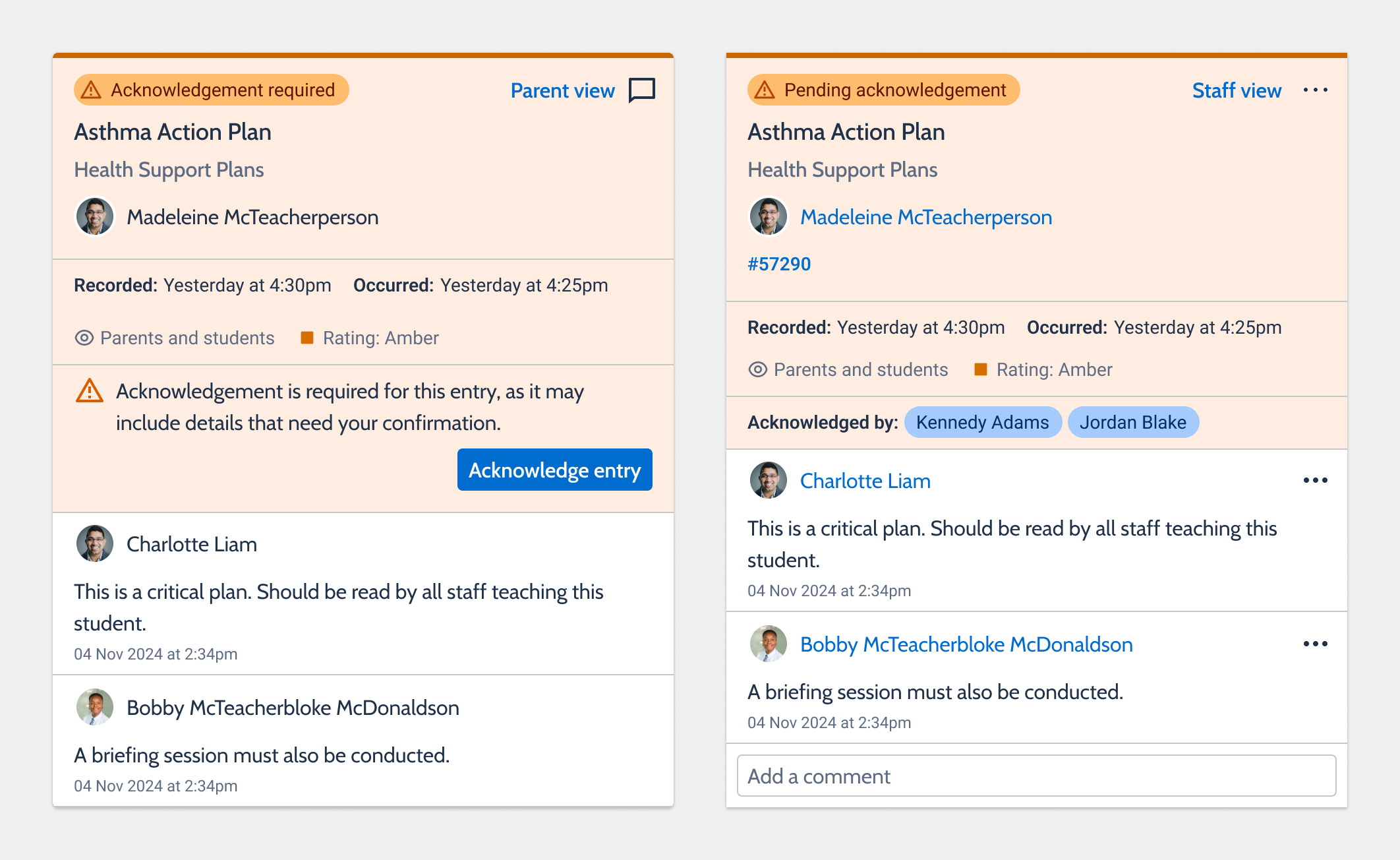
These were explorations, not five features in the final product. After review with stakeholders, we decided to go ahead with the Acknowledge entry option, supported by a contextual prompt or alert and a status chip that changes after acknowledgement.
The final designs covered the complete acknowledgement workflow across web and mobile, with responsive layouts for every defined viewport. Web designs spanned XS (320px), S (600px), M (900px), L (1200px) and XL (1536px+), while mobile designs covered XS (320px), S (600px) and M (900px).
The scope also included distinct interface states for parents and staff, both before and after an entry was acknowledged. This ensured each role could see the right information and actions at every stage of the workflow, across the supported screen sizes.
User role
Viewport size - on web
User role
Viewport size - on mobile/app
The core acknowledgement logic remains consistent across web and mobile. Parents can acknowledge an entry that requires their attention, while staff can see whether acknowledgement is still pending or has been completed.
The difference is in how the workflow is presented and accessed within each platform.
[Parent] Acknowledge entries Prototype — L viewport | XS viewport GIVEN I am viewing the student dashboard WHEN an entry is marked as ‘Acknowledgement required’ (chip is displayed on top of the entry) THEN the ‘Acknowledge entry’ prompt is displayed (prompt is displayed at the end of the entry, before the comments section) WHEN I [Acknowledge entry] THEN the ‘Acknowledged by’ section is displayed AND the ‘Acknowledgement required’ chip on top of the entry is removed AND the alert on the ‘Feed’ widget is updated AND a notification is displayed with the message: “Entry successfully acknowledged”
GIVEN I am viewing ‘Chronicle tab’ WHEN I click on a Chronicle entry with the ‘Acknowledgement required’ chip THEN the side panel with the entry details is displayed AND an alert is displayed with the message: “Acknowledgement is required for this entry, as it may include details that need your confirmation.” WHEN I [Acknowledge entry] THEN the alert on top of the panel is dismissed AND the ‘Acknowledged on’ section is displayed AND the ‘Acknowledgement required’ chip on top of the entry is removed AND the alert on the ‘Feed’ widget of the ‘Chronicle tab’ is updated AND a notification is displayed with the message: “Entry successfully acknowledged”
There’s a lot more that went into this! From additional features and workflows to the smaller design decisions and trade-offs along the way. If you’re interested in learning more, feel free to reach out!

Why?
Explore the acknowledgement patterns, then specify web and mobile for build.
How?
Proof-of-concept frames first. Then the responsive frames and the parent prototype.

Why?
Give engineering the behaviour, separate from the exploration.
How?
Web and mobile design documentation: scenarios, role differences, states, and the enhancements that were not MVP.
Interested in looking at the full works or want to connect? Send me a message and I’ll get back to you.